
A step-by-step guide on how to play Red Ball 4
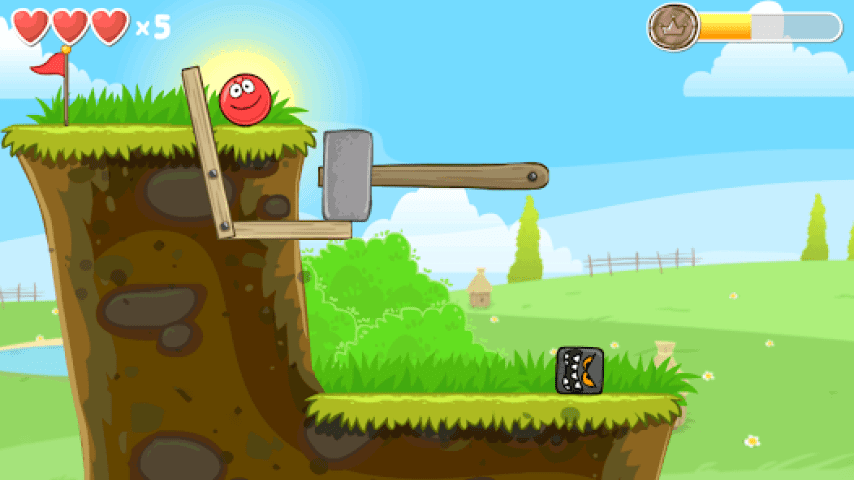
Red Ball 4 is a physics-based puzzle platformer game that involves guiding a red ball through various levels, avoiding obstacles, and collecting stars to progress through the game. Here is a step-by-step guide on how to play Red Ball 4:

Step 1: Launch the Game
The first step in playing Red Ball 4 is to launch the game. The game can be played on various platforms, including desktops, smartphones, and tablets. The game can be found on various online game platforms, such as Kongregate, Armor Games, and Steam.
Step 2: Start Playing
Once the game is launched, click on the "Play" button to start playing. The game has several levels, each with a unique design and set of obstacles. The objective of the game is to navigate the red ball through each level, collect stars, and avoid obstacles.
Step 3: Control the Red Ball
The red ball can be controlled using the arrow keys on the keyboard or by swiping on the screen if playing on a mobile device. The left and right arrow keys move the ball left and right, while the up arrow key makes the ball jump. The ball can also be rolled by holding down the left or right arrow key.
Step 4: Collect Stars
As the ball progresses through each level, it encounters stars that need to be collected to progress through the game. The stars can be collected by rolling the ball over them. There are three stars in each level that need to be collected.
Step 5: Avoid Obstacles
Red Ball 4 is a physics-based game, which means that the ball interacts with the environment in a realistic way. The ball can be stopped or slowed down by obstacles such as water, rocks, and walls. To avoid these obstacles, the player needs to time the ball's movements and jumps carefully.
Step 6: Defeat Enemies
As the ball progresses through the levels, it encounters enemies such as evil squares that need to be defeated to progress through the game. The ball can defeat enemies by jumping on top of them. The game also has boss battles that require the player to use strategy and timing to defeat the boss.
Step 7: Use Power-Ups
Red Ball 4 has power-ups that can be collected to enhance the ball's abilities. The power-ups include the ability to stick to walls and ceilings, to become larger, and to have increased jumping ability.
Step 8: Customize the Ball
The game allows the player to customize the red ball's appearance by choosing from a range of colors and designs. The customization options can be accessed by clicking on the "Options" button in the game's main menu.
Step 9: Create Custom Levels
Red Ball 4 has a level editor that allows players to create their own levels and share them with other players. The level editor can be accessed by clicking on the "Level Editor" button in the game's main menu. The level editor allows players to design their own levels using various tools and obstacles.
In conclusion, Red Ball 4 is an engaging and fun physics-based puzzle platformer game that requires strategy, timing, and skill to progress through each level. By following these steps, players can enjoy the game's unique storyline, engaging gameplay, and creative level designs.
-
1
Read Review

- YAHTZEE With Buddies Dice Game
"YAHTZEE® With Buddies Dice Game" is a fun gambling game in which players will throw the dice to determine the way to win or lose, is a fun game for online!Casual game, dazzling graphics interesting nature of the game, popular around the world for more than 40 years of the classic dice game, by rolling the dice with the score sheet to play. Can be played alone or onli…
-
Advertisement
-
2
Read Review
- Earn to Die 2
Earn to Die 2 is a post-apocalyptic and zombie-themed game. The game scene is moved from the boring desert back to the layered city, so that the player is not dull to face the endless desert. There are a total of 10 cars for players to unlock, including an ice cream car. Compared to its predecessor, the cars in this game are all breakable, making the game even more difficult, s…
-
3
Read Review
- Candy Crush Soda Saga
Candy Crush Soda Saga, developed by the British online game company King, is the sequel to the gem cube game Candy Crush Saga, which was launched on October 20, 2014. The game has a synchronization feature that allows users to switch between Android and iOS and Windows 10 and Windows Phone platforms. From the makers of the legendary Candy Crush Saga comes Candy Crush Soda Saga!…